What is PDFDuty and What Does It Offer?
Don't spend hours merging PDFs, reducing their size, or summarizing long documents. Discover the practical tools of PDFDuty.
We've all been there at least once: you need to send an urgent email, but the attached PDF just won't go through because it "exceeds file size limits." Or you need to transfer a table from a received PDF into Excel, and when you copy-paste, all the rows get jumbled up.
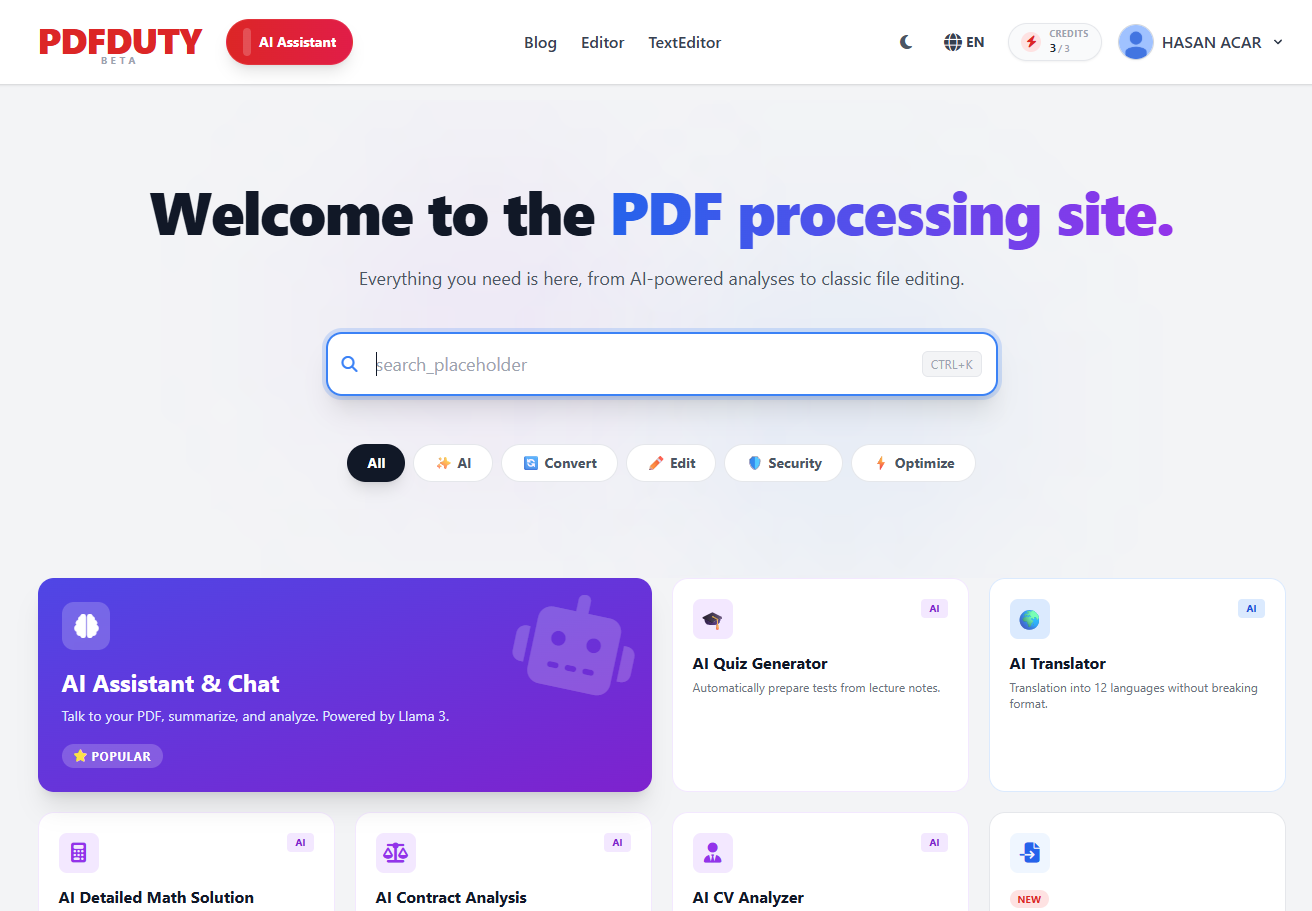
At the end of the day, for a simple document editing task, we find ourselves jumping from tab to tab on the internet, searching for solutions on ad-cluttered websites. That's exactly where PdfDuty.com comes in, designed to solve this problem of "simple tasks turning into an ordeal."
Let's take a look together at the lifesaver features on this platform that will come in handy.
The main goal of the site is to gather every tool you need under one roof.
PDF Merge and Split: It takes seconds to merge dozens of end-of-term assignment files or your monthly invoices into a single file. Similarly, you can easily extract just the 10 pages you need from a 500-page e-book.
Word, JPG, and Other Conversions: The most annoying thing when converting PDFs to other formats is the layout shifting. PDFDuty strives to stay true to the document's original structure while making these conversions.
Compress Without Losing Quality: Is your file too big? With the smart compression tool, you can reduce the file size to email-friendly levels without making the text blurry.
PDFDuty AI
There are cases where the job doesn't end with just format conversion. This is where the coolest and most functional part of the site comes into play: its integrated artificial intelligence assistant.
-
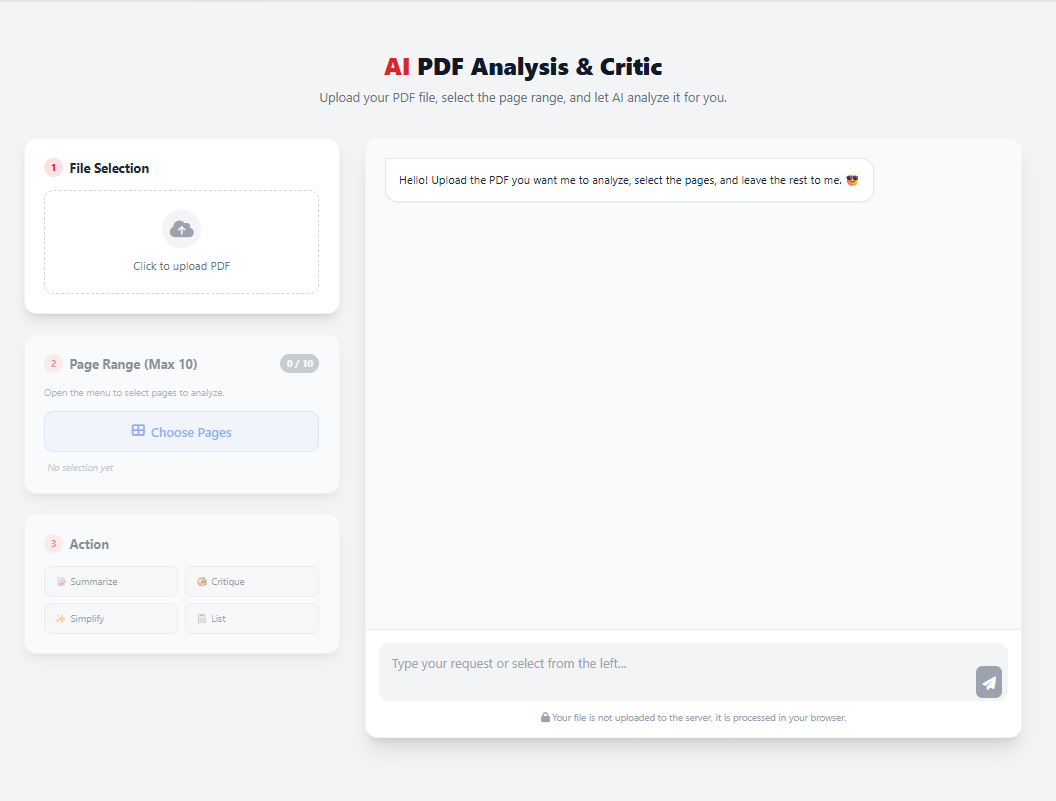
Chat with Your Document
You have an 80-page contract, a long case file, or a technical article in front of you. Reading it all takes serious time. You upload the file to PDFDuty and write in the chat screen on the side: "Summarize the main idea of this document in 5 bullet points for me" or "On which page are the cancellation terms, can you briefly explain?". The assistant reads the file for you and answers instantly.
PdfAnalysis
-
Translation Without Breaking the Design
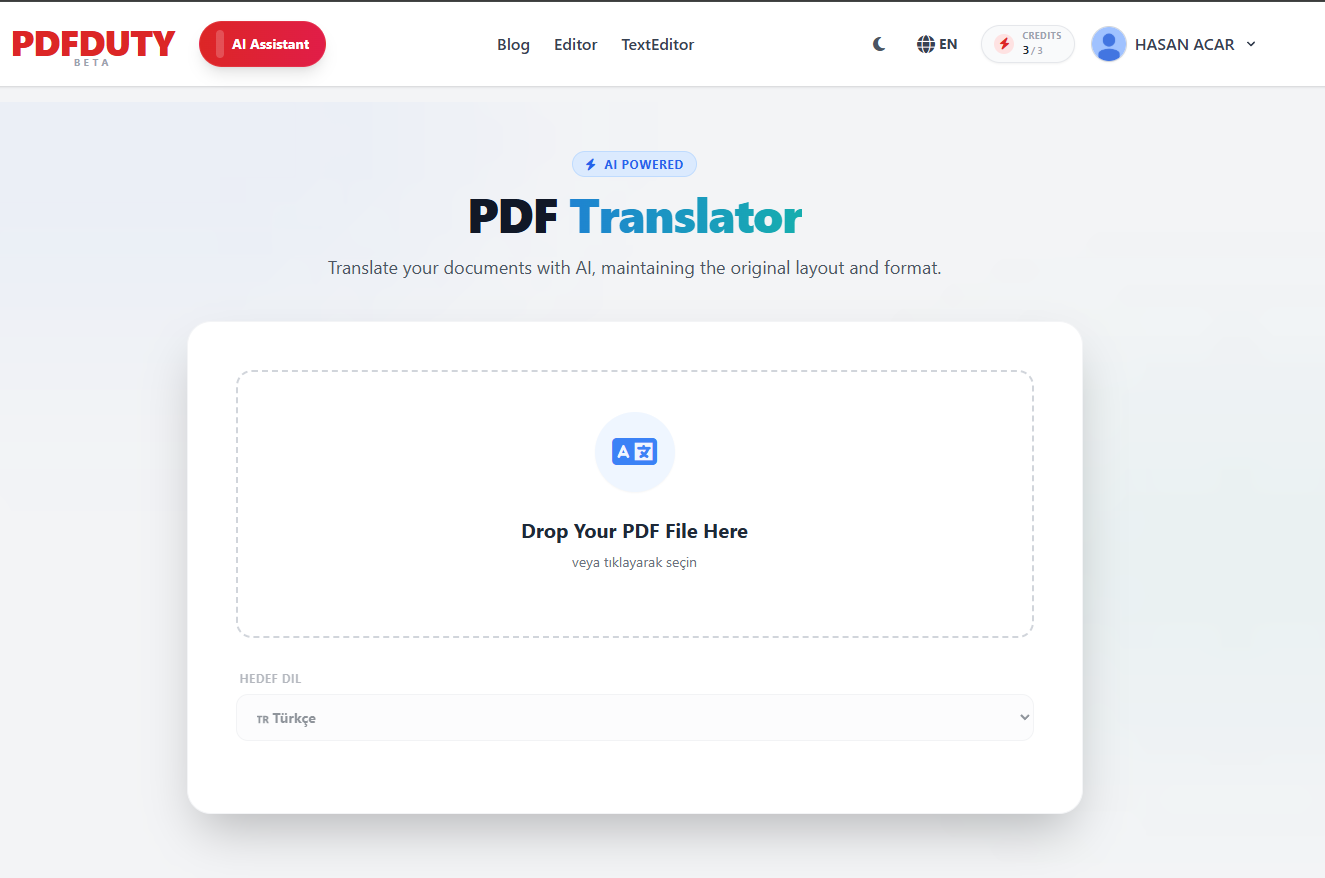
When you copy a foreign language PDF into Google Translate, the text gets translated, but the beautiful design of the document turns to trash. PDFDuty's AI-powered translator can translate the content into your desired language (Turkish, English, Spanish, etc.) without messing up the placement of images, headers, and tables in the document.
PDFTranslator
-
Quiz Generation for Students and Teachers
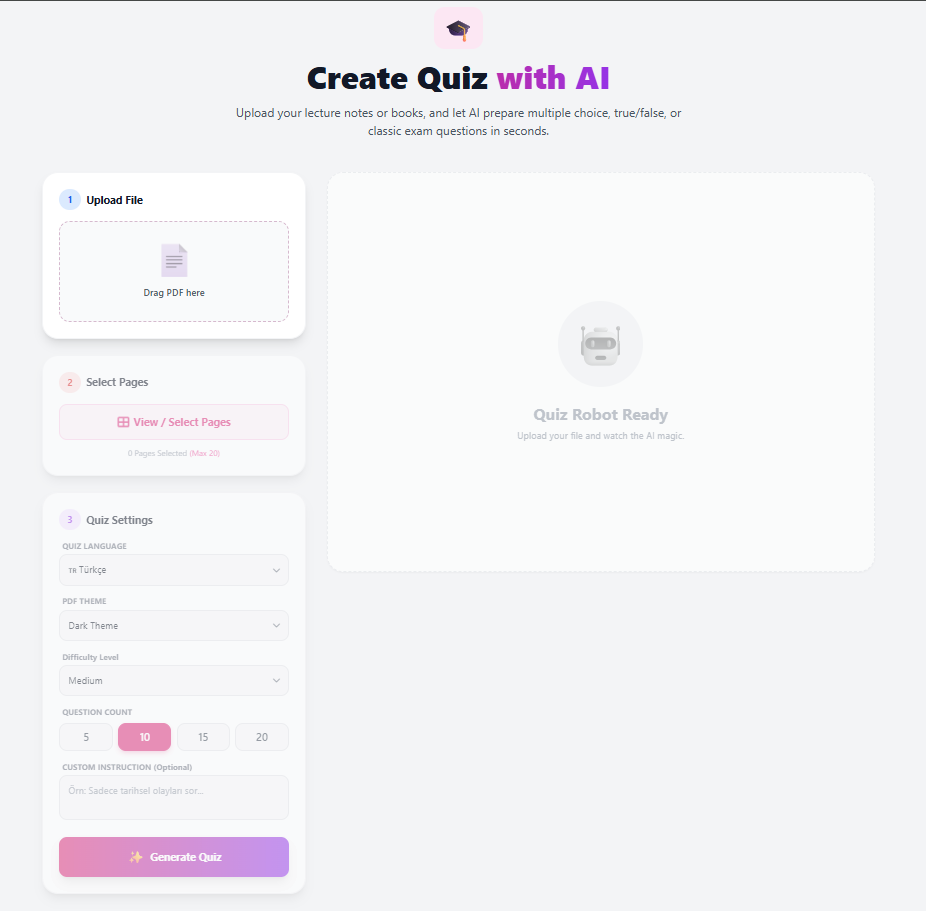
A highly useful feature, especially on the education side: You upload lecture notes to the system and say, "Prepare a 10-question multiple-choice quiz at a hard difficulty level from this text." It's a detail that incredibly speeds up the exam preparation process. Furthermore, when you like the questions or want to print them, you can easily download them as a PDF after solving them on the site.
Quiz Generator
Is it safe?
Especially when uploading files containing company documents or personal data to the internet, the question "Where do these files go?" rightfully comes to mind. At PdfDuty.com, your files are not kept on servers after the processes are finished and are permanently deleted within a short time. Meaning, your data is not sold to advertising companies or used to train artificial intelligence.
In Summary
If you are someone dealing with paperwork, assignments, or reports at a computer, adding a PDF tool to your browser's bookmarks bar is a must. With its clean interface, ad-free structure, and integration of artificial intelligence, PdfDuty.com is one of those tools that should be right at your fingertips.
You can visit the site to test the tools yourself and see with your own eyes how much it speeds up your workflow.