How Far Can We Push the Limits of a CPU?
Don't settle for bloated frameworks and GPU dependency. Discover pdefa — a from-scratch inference engine that runs deep learning models directly on the CPU.

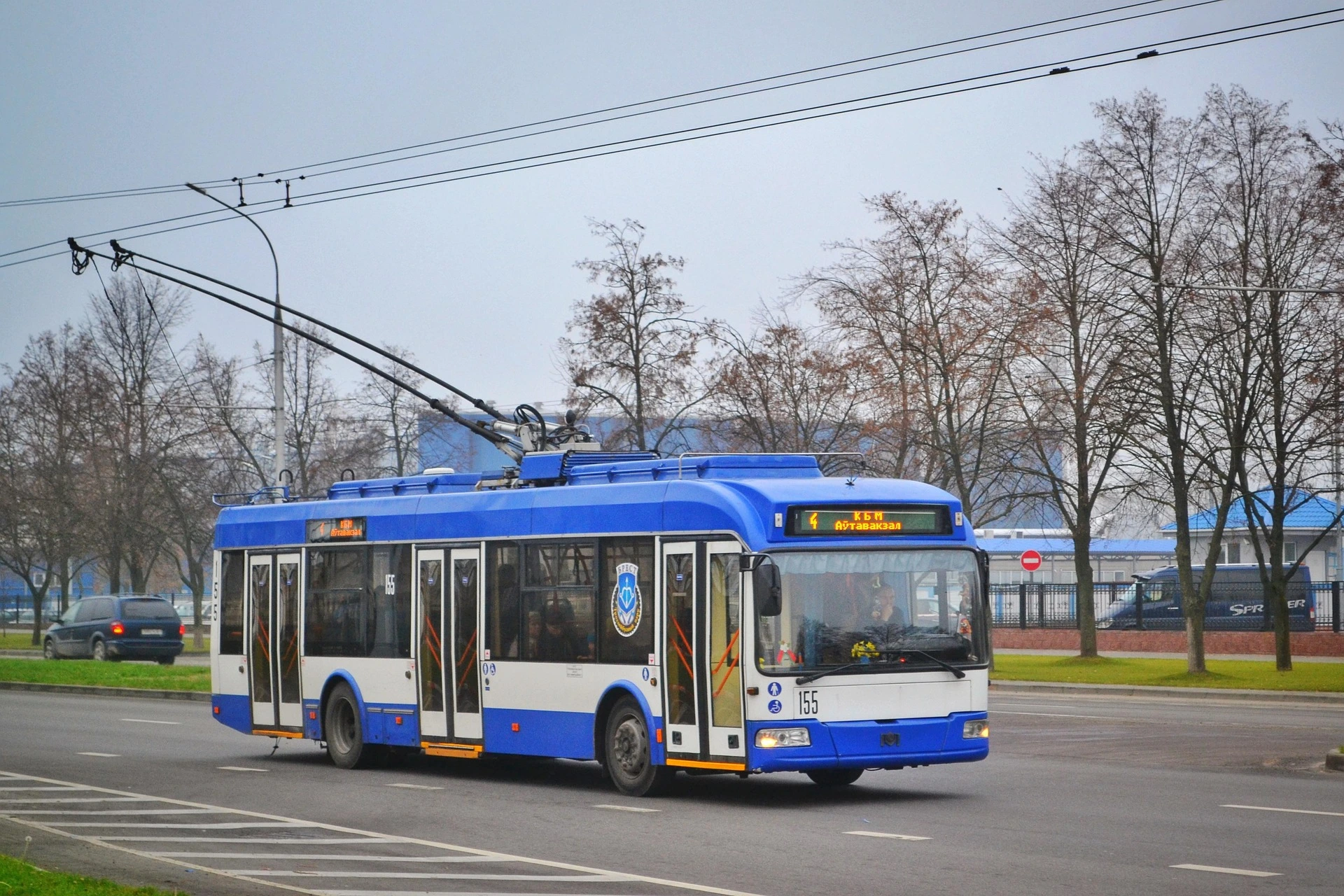
How far can we push the limits of a CPU?
For years, the answer to "run deep learning" has been the same: buy a GPU. But that answer ignores a fundamental question — how much of that hardware are we actually using, and how much are we wasting on framework overhead?
To break free from the bloatware of external libraries and harness the full power of hardware with maximum efficiency, I'm sharing my engineering journey and open-source project: pdefa (hasnard/pdefa).
What is pdefa?
pdefa is a deep learning inference engine I built from scratch using C++20 and AVX2 SIMD architecture to run models directly on the CPU — no GPU required, no heavy runtime, no dependency tree to untangle before you can run a single inference.
My core motivation was simple: experience how system resources can be managed with absolute efficiency, and bring this ultra-lightweight architecture to the ecosystem under the AGPL-3.0 license, staying uncompromisingly true to real open-source philosophy.
Why bother with CPU inference at all?
Because most real-world deployments don't have the luxury of a dedicated GPU. Edge devices, embedded systems, CI pipelines, small VPS instances, factory-floor machines, and academic clusters all run on CPUs. In those environments, every megabyte of framework overhead and every unnecessary dependency is a cost — in memory, in startup time, in deployment complexity.
A 300 MB framework that pulls in a dozen shared libraries is not "free." It's a tax you pay on every deployment.
Key Technical Highlights:
- Ultra-Lightweight Size
The compiled native binary is only 320 KB. No megabytes of bloat, no runtime you have to install first — just what's needed to run inference.
- Zero External Dependencies
The Python interface relies solely on the built-in ctypes module. No pip install, no version conflicts, no virtual environment gymnastics.
- Hardware Optimization
Maximizes vectorized processing capacity using AVX2 instruction sets and gives direct control over the thread count — so you can tune it to the exact CPU you're running on.
- Wide Architecture Support
Capable of running YOLO (v8 through v12), ResNet, MobileNet, EfficientNet, and DeepLabV3 architectures out of the box.
- Built-in Image Processing
Features its own PNG/JPEG loader and a built-in YOLO post-processing algorithm, completely bypassing the need for heavy libraries like OpenCV.
- Flexible Conversion Workflow
Export your existing PyTorch models to standard ONNX format, then use the engine's built-in converter to seamlessly translate them into pdefa's custom, low-latency .engine format.
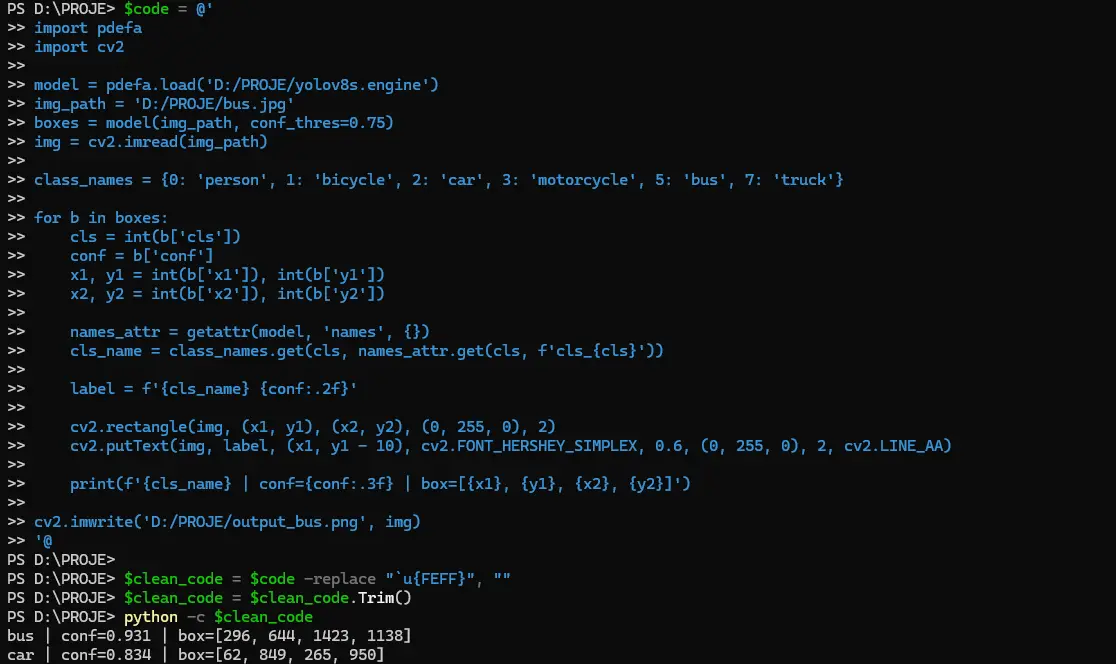
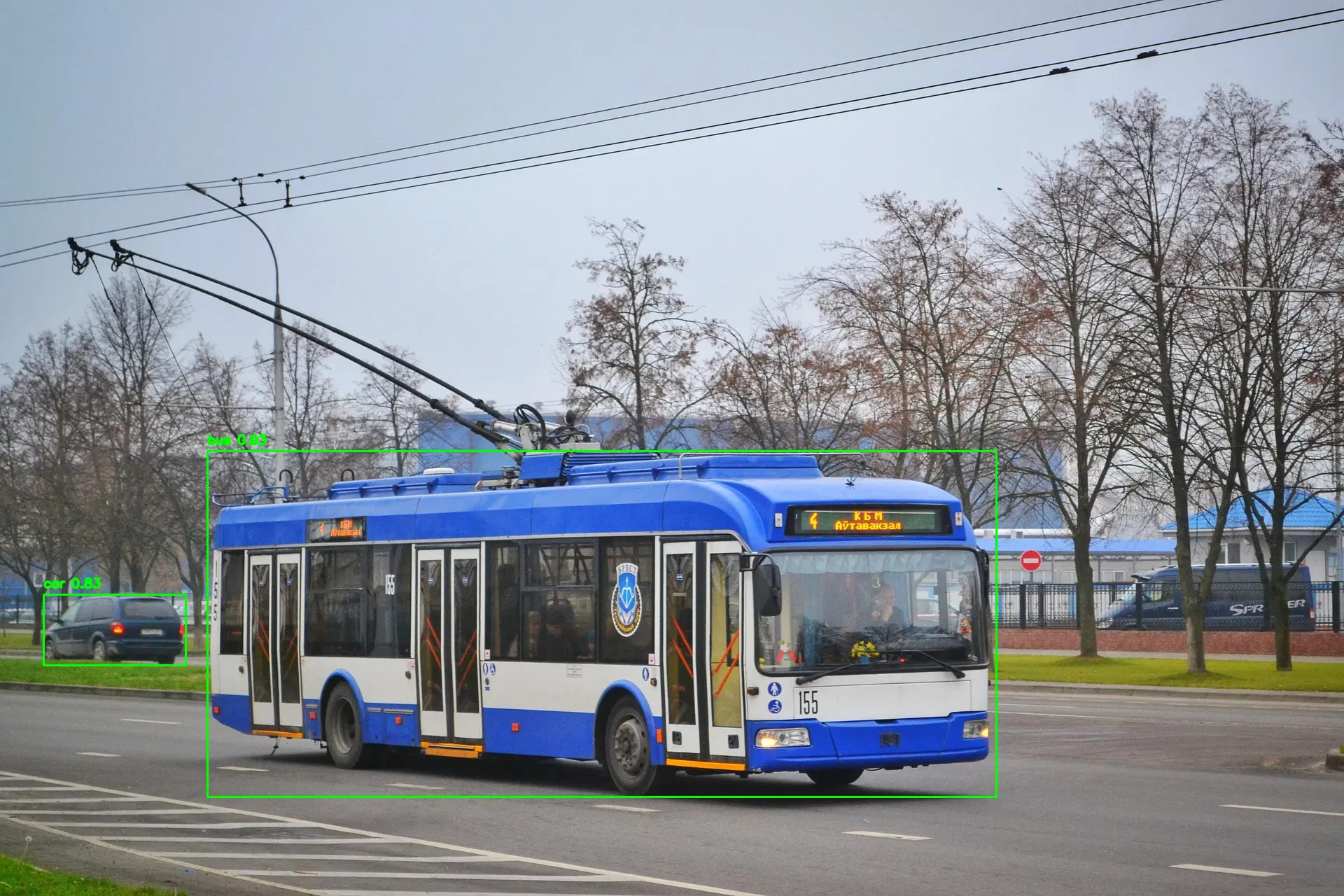
Development Roadmap:
I will soon be releasing the pytorchtoengine tool, which will allow PyTorch users to bypass the ONNX intermediate step entirely and convert models directly into the engine's native format. One less hop, one less thing to debug.
Who this is for:
I hope this serves as a powerful alternative for developers working with resource-constrained servers, edge devices, or lightweight systems — anyone who has ever thought "I just need to run this model, I don't need an entire ecosystem for it."
Where to go from here:
The repository is open. Feedback on code architecture is genuinely welcome — especially from people who've built similar systems or hit the same walls. And if this resonates with you, a star goes a long way toward supporting the project.
$code = @'
 import pdefa
 import cv2

 model = pdefa.load('D:/PROJE/yolov8s.engine')
 img_path = 'D:/PROJE/bus.jpg'
 boxes = model(img_path, conf_thres=0.75)
 img = cv2.imread(img_path)

 class_names = {0: 'person', 1: 'bicycle', 2: 'car', 3: 'motorcycle', 5: 'bus', 7: 'truck'}

 for b in boxes:
    cls = int(b['cls'])
    conf = b['conf']
    x1, y1 = int(b['x1']), int(b['y1'])
    x2, y2 = int(b['x2']), int(b['y2'])

    names_attr = getattr(model, 'names', {})
    cls_name = class_names.get(cls, names_attr.get(cls, f'cls_{cls}'))

    label = f'{cls_name} {conf:.2f}'

   cv2.rectangle(img, (x1, y1), (x2, y2), (0, 255, 0), 2)
   cv2.putText(img, label, (x1, y1 - 10), cv2.FONT_HERSHEY_SIMPLEX, 0.6, (0, 255, 0), 2, cv2.LINE_AA)

print(f'{cls_name} | conf={conf:.3f} | box=[{x1}, {y1}, {x2}, {y2}]')

cv2.imwrite('D:/PROJE/output_bus.png', img)
'@
Welcome
Sign in to use the AI assistant
Menu
Home
All tools
Editor
Edit text and shapes
Blog
Tips and guides
Research
Academic papers & studies
Theme
Language
Recent Actions
Lokal Geçmiş